

Did you know that a simple ink refill can extend the life of your self-inking stamp by months, saving you both time and money? over time, stamps can start to fade or produce uneven impressions, which can disrupt your workflow and affect document professionalism.Understanding how to properly refill your self-inking stamp is essential for maintaining crisp, clear marks without the hassle of frequent replacements. whether you rely on your stamp daily for business or occasional use,mastering this maintenance tip not only keeps your tools running smoothly but also ensures consistent,high-quality impressions every time. In the following guide, you’ll discover straightforward steps and expert advice on refilling your self-inking stamp effectively, helping you avoid common pitfalls and maximize your stamp’s performance and lifespan.
Understanding Self inking Stamps and Their Ink Mechanism
Self-inking stamps have revolutionized the way we handle repetitive stamping tasks by combining convenience with efficiency. Unlike traditional stamps that require separate ink pads, these clever devices house an internal ink pad that automatically inks the stamp surface each time it’s pressed. This ingenious mechanism not only speeds up workflow but also delivers consistent, clean impressions, making self-inking stamps a popular choice for offices, businesses, and crafting enthusiasts alike.
At the heart of this system lies the self-inking stamp’s unique pivoting action. When you press the stamp down, the rubber or polymer die (the image or text part) rotates away from the ink pad and presses onto the paper. Once the stamp is lifted, the die pivots back to re-ink itself from the built-in ink pad. This cycle allows multiple impressions without needing to re-ink manually.Tho,over time,the ink pad’s capacity diminishes as the ink absorbs into the internal foam or felt pad,necessitating periodic refills to maintain sharp and vibrant prints.
Understanding the interplay between the ink, the pad material, and the stamp’s mechanism is crucial for optimal performance. The ink used in these stamps is formulated specifically to work with the internal pad and stamping surface – too thick or too thin ink can cause smudging, faint stamps, or even damage the stamp itself. Moreover, the foam or felt pads are designed to hold and evenly distribute the ink during each cycle. If the pad dries out or wears down unevenly, it can led to patchy impressions. Recognizing these factors helps users appreciate the importance of correctly maintaining and refilling their self-inking stamps to ensure longevity and print quality.
- Durability: Self-inking stamps can produce thousands of clear impressions before needing a refill.
- Ink Type: Water-based or specially formulated ink refill fluids are essential for compatibility with internal pads.
- Mechanism care: Regular checking of the pivot mechanism ensures smooth operation and prevents jamming or uneven stamping.
Armed with this knowlege, users can approach maintenance confidently, minimize stamp wear, and enjoy reliable, crisp impressions for all their stamping needs.
Choosing the Right Ink for Your Self Inking Stamp
Choosing the right ink for your self-inking stamp is pivotal to maintaining crisp, clear impressions and prolonging the life of your stamp. Not all inks are created equal, and using the wrong type can lead to smudging, uneven coverage, or even damage to the internal components. The key is selecting ink specifically formulated for self-inking stamps-these inks are usually water-based or specially designed to interact smoothly with the internal foam or felt pad,ensuring optimal absorption and consistent print quality.
Many commonly available inks,such as standard printer or craft inks,are not suitable because they may be too thin or too thick. Thin inks tend to soak thru the pad too quickly and can cause blotchy prints, while thicker inks might not dry properly or might clog the stamp mechanism over time. Specialized stamp ink refills balance fluidity and adhesion to deliver vibrant, sharp impressions without excessive drying time.Sometimes, ink manufacturers offer different formulations based on the stamp’s material (rubber or polymer), or the surface you frequently stamp on (paper, fabric, or plastic), so matching ink type to usage can yield the best results.
Factors to Consider When Selecting Ink
- Compatibility: Always use ink designed for self-inking stamps to avoid damage. Check with your stamp’s manufacturer or trusted retailers that supply ink refill bottles made for your specific stamp model.
- Color Options: While black and blue are the most common colors for office use due to their clarity, many brands also provide a wide palette for branding or creative projects.
- Drying Time: Speedy-dry formulas reduce smudging on fast workflows or glossy surfaces.
- Water resistance: Some inks offer water- or fade-resistant qualities, ideal for documents needing long-term durability.
Practical Advice for Everyday Use
Consider purchasing ink refill bottles in small sizes at first, such as ½ oz to 2 oz, so you can test the compatibility without wasting product. Reputable suppliers often provide guidance or even tutorial videos on best refill practices,helping avoid common pitfalls like overfilling or using incompatible ink types,which can save money and extend the functionality of your stamp [[3]](https://www.simplystamps.com/stamp-ink-pads/ink-bottle-refills).
If unsure, look for ink sets labeled explicitly for your stamp brand or type. This is especially helpful if your self-inking stamp is a specialized model. Using the right ink ensures your stamp stays clean, your images sharp, and your refilling process hassle-free, ultimately contributing to a more professional appearance in all your stamping tasks.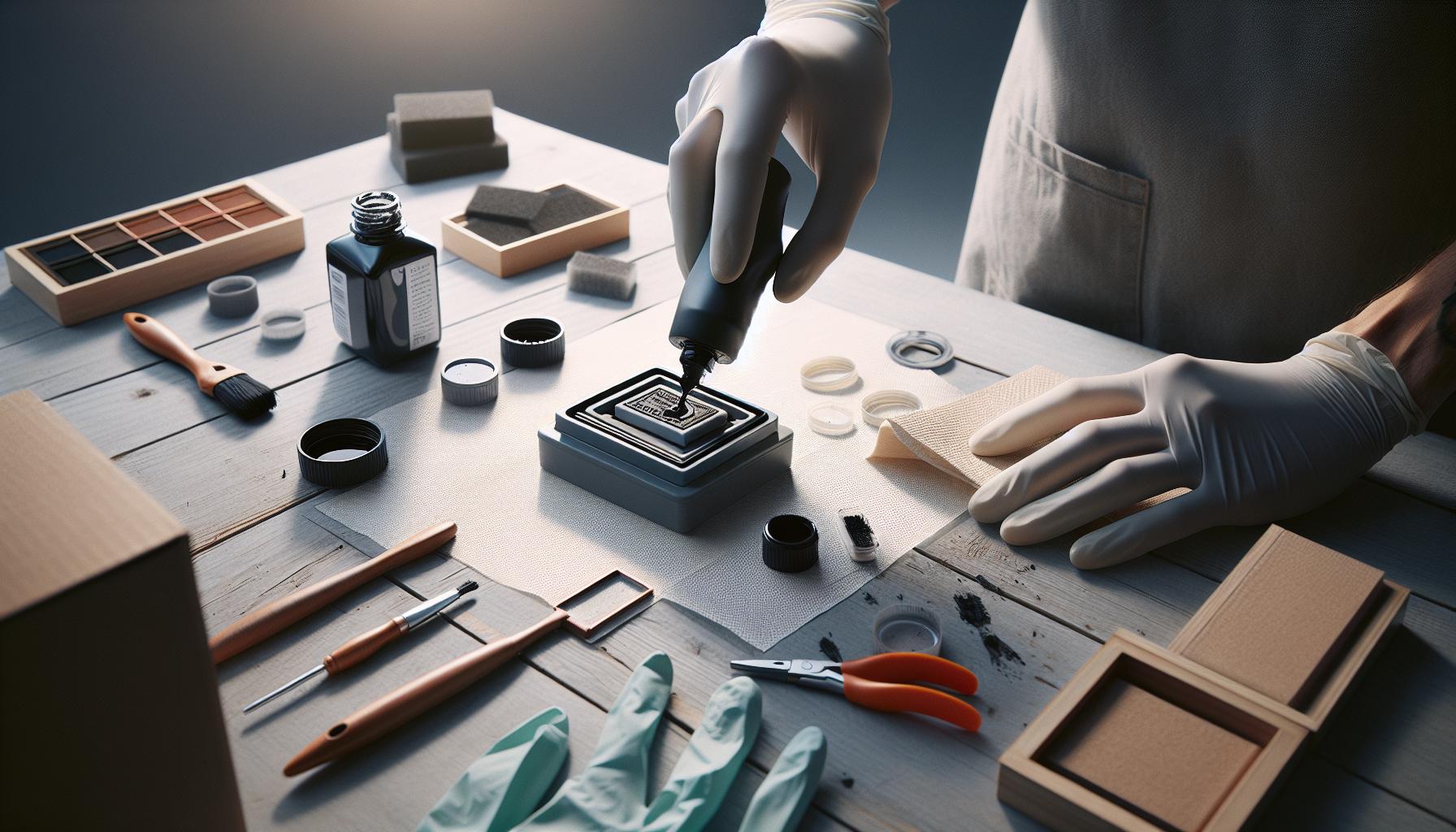
Step-by-Step Guide to safely Refilling Your Stamp ink Pad
Refilling your self-inking stamp ink pad is a straightforward task that, when done correctly, can significantly extend the life of your stamp and maintain the clarity of your impressions. The key is to approach the process methodically and with care to avoid common pitfalls such as over-saturating the pad or using incompatible inks that might clog or damage the internal mechanism.
Start by gently unlocking or removing the ink pad from your self-inking stamp. Most models have a simple release mechanism-frequently enough a button or slider-that allows the pad to slide out easily.take a moment to place the pad on a protected surface to prevent any accidental ink stains. Once removed, examine the pad for dryness; if the pad looks crumbly or overly worn, this might be a good opportunity to replace it rather than just refill the ink.Using fresh ink refills specifically designed for self-inking stamps ensures optimal absorption and vibrant impressions. Popular choices come in small bottles ranging from 1 oz to 2 oz, offering just the right amount for multiple refills without wastage [[1]](https://www.excelmark.com/collections/ink-refills).
When ready to apply ink, do so sparingly. Use a clean dropper or the ink bottle’s nozzle to add drops evenly across the surface of the pad-typically 3 to 5 drops are sufficient depending on the size of the pad. avoid pouring or spraying ink directly, as this can saturate one area unevenly, leading to blotchy impressions. After applying ink, let the pad sit for a few minutes to allow absorption, which prevents excess ink from pooling or dripping during initial stamping. Reinsert the pad carefully, ensuring it locks securely back into place to maintain proper alignment with the stamp’s mechanism.
- Check ink type compatibility: Always use ink that matches your stamp’s specifications. For instance, water-based inks are preferred for standard self-inking stamps, while fabric or permanent inks are necessary for stamping on non-porous surfaces.
- Refill increments matter: Consistent small top-ups prevent drying out without risking oversaturation.
- Consider ink color and drying requirements: Darker inks like black and blue dry faster, which is helpful for high-volume stamping.
By following this careful and deliberate approach, you preserve the effectiveness of your self-inking stamp and avoid common issues like stuck stamps or uneven impressions. Many users find it helpful to keep a small towel or paper towel handy during refills to quickly clean any stray drops of ink-this minimises mess and keeps your workspace clean. testing a few impressions on scrap paper immediately after refilling allows you to adjust any steps or add small ink amounts as needed, ensuring your stamp always delivers crisp, professional results.[[2]]
Common Mistakes to Avoid During Ink Refills
Refilling your self-inking stamp might seem simple, but several subtle missteps can compromise the performance and lifespan of your stamp. One of the most common errors is using the wrong type of ink.Self-inking stamps are designed to work with water-based inks because they soak into the sponge pad evenly and dry quickly on paper. Introducing oil-based or permanent inks not only affects the pad’s absorbency but can also clog the internal mechanism, leading to uneven impressions or even damage over time.
Another frequent mistake is applying too much ink at once. A heavy, saturated pad doesn’t produce sharper images-it often results in blotchy, smudged prints and excess ink pooling on your documents. Adding just a few controlled drops (typically 3-5 depending on pad size) allows for uniform absorption and cleaner impressions.Many find it useful to apply ink incrementally, testing impressions on scrap paper after each application to gauge if more is needed.
Handling the ink pad improperly can also introduce problems. For example, neglecting to remove the pad gently or forcing it out risks misalignment or damage that affects stamp action. It’s essential to follow your stamp’s release mechanism carefully and avoid excessive pressure. Additionally,failing to check the condition of the ink pad before refilling-such as ignoring a dried-out or crumbly pad-can reduce ink absorption and degrade stamp quality. In certain specific cases, replacing the pad is better than refilling a worn-out one.
- Using incompatible ink types – prevents proper ink absorption, may damage stamp parts.
- Over-saturating the ink pad - causes smudging, blots, and drying issues.
- Ignoring pad condition – old or damaged pads won’t hold ink efficiently.
- Improper pad removal and reinsertion – can cause mechanical misalignment or jams.
- Not testing ink coverage immediately – delays recognition of under or over-inking problems.
Being mindful about these pitfalls not only ensures crisp, professional-looking impressions but also prolongs the life of your stamp. As an example, some users report that cleaning minor ink spills promptly and storing their stamps away from extreme temperatures significantly reduces maintenance headaches. Using inks specifically formulated for self-inking mechanisms-available from trusted suppliers-adds another layer of reliability to your refilling routine[1].
Taking a deliberate, patient approach avoids costly errors and helps maintain your stamp’s efficiency and appearance over countless impressions.
Essential Tools and Materials Needed for Refill and Maintenance
Few maintenance tasks become as satisfying as restoring your self-inking stamp to crisp, clear operation with just a handful of well-chosen tools and materials. Having the right essentials on hand not only streamlines the refilling process but also prevents common mishaps that could shorten the lifespan of your stamp. Beyond the obvious ink bottle, the quality and compatibility of your supplies play a pivotal role in maintaining flawless impressions and smooth mechanical action.
Begin with a fresh bottle of ink specifically designed for self-inking stamps. These inks are water-based and formulated to absorb evenly into the sponge pad without damaging internal components. Generic inks or oil-based varieties may clog mechanisms or cause uneven stamping, so investing in a trusted brand is well worth the money. A small dropper or precision bottle nozzle is equally critically important-it allows you to apply the ink sparingly and evenly to avoid saturation issues that lead to smudging and blotches.
To handle the ink pad carefully, you’ll also want a pair of soft, lint-free gloves or cotton swabs. They protect your hands from staining while helping you manipulate the pads delicately,ensuring you don’t unintentionally misalign or damage the cushion during removal or reinsertion. Additionally, keep a clean cloth or paper towels nearby to wipe off any accidental ink spills promptly and to maintain a tidy workspace.
Key Tools and Supplies Checklist
- Self-inking stamp refill ink: Water-based and compatible with your specific stamp model
- Precision dropper or nozzle bottle: For controlled ink application
- Lint-free gloves or cotton swabs: To handle parts cleanly and avoid contamination
- Clean cloth or paper towels: For immediate cleanup of spills and wiping excess ink
- Small flat tool or tweezers: Helpful for careful pad removal or repositioning without damage
- Scrap paper or testing pad: To check the quality of your stamp impression after refilling
Armed with this kit, you’re prepared not only for efficient refills but also for routine maintenance like cleaning minor ink build-up and spotting when the pad needs replacement. In some cases, the pad itself or the internal stamping mechanism may require gentle cleaning with a mild soap solution or isopropyl alcohol diluted appropriately-tools like cotton swabs and lint-free cloths are invaluable here.The attention to detail made possible by a well-stocked supply list can distinguish between a messy, unreliable stamp and a professional-quality tool that works consistently for years.
Preparing your workspace with these essentials creates an environment of precision and care which, when combined with correct technique, extends the life of your self-inking stamp significantly while ensuring each impression remains sharp and vibrant throughout its lifespan. For trusted ink selections and a variety of refill supplies,specialized sellers like RubberStamps.com or Deluxe offer reliable options specifically tailored for self-inking and pre-inked stamps[[2]](https://www.rubberstamps.com/collections/refill-ink?srsltid=AfmBOoqZtXk2VwLpvwLyWvEXXSFyiTOK2yOeYgUOKIbVWR3LkTqcM4ug)[[3]](https://www.deluxe.com/shopdeluxe/pl/business-checks-banking-products/business-stamps/stamp-ink/self-inking/_/N-oh6t15Z1pvhsqu).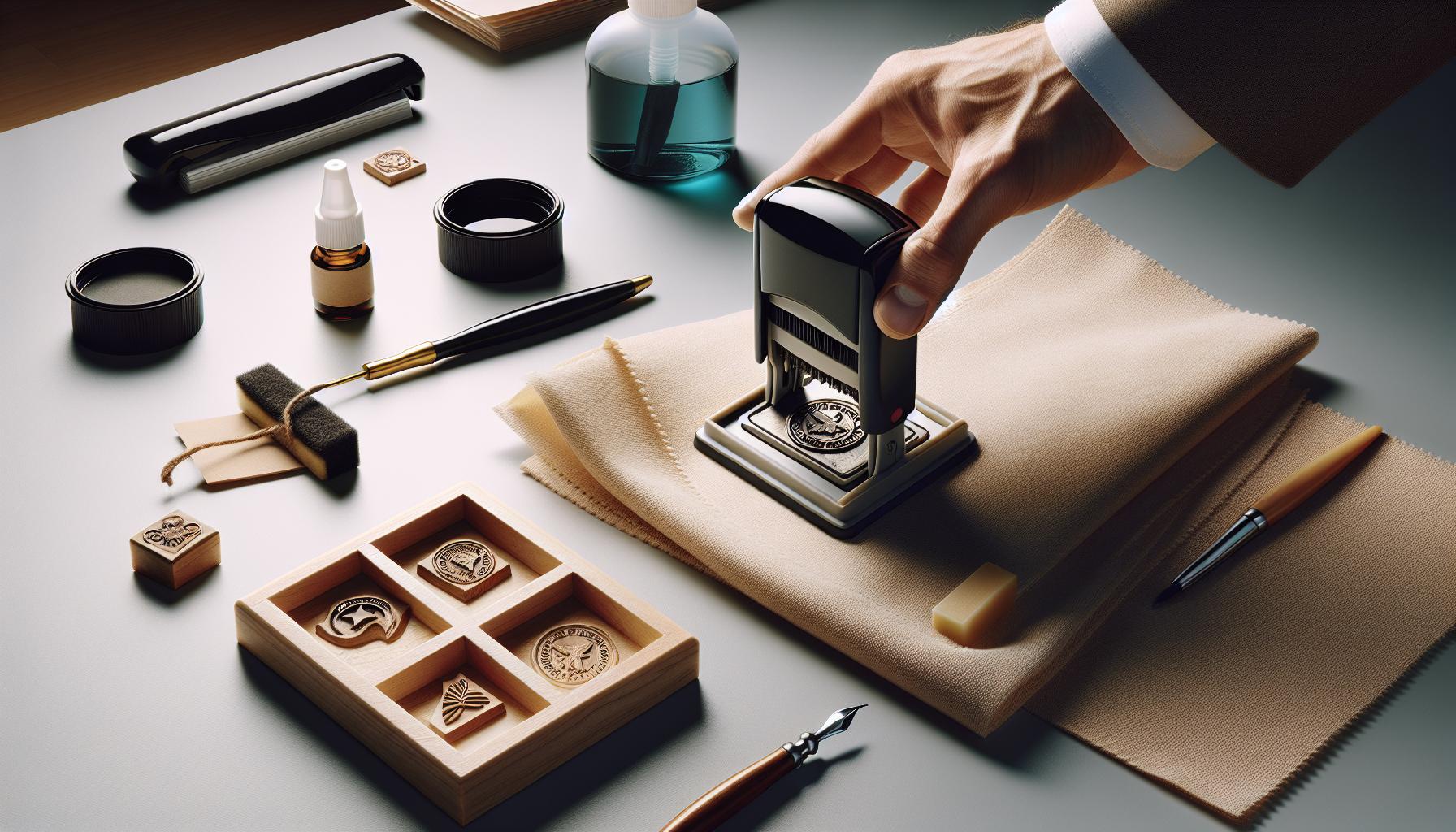
how to Clean and Maintain Your Self Inking Stamp for Longevity
Keeping your self-inking stamp in top condition is key to maintaining crisp,consistent impressions day after day. While it may seem like a simple tool, a little attention to cleaning and maintenance can dramatically extend its usability and prevent frustrating issues like blotchy or faded stamping. A crucial first step is to avoid letting dried ink build up on the rubber or foam pads, which can degrade impression quality or even damage internal mechanisms.
When cleaning,it’s best to resist the urge to use harsh chemicals or soak the stamp in water. Instead, a gentle approach using a damp microfiber cloth or cotton swab lightly moistened with a mild soap solution or specialized stamp cleaner works wonders. Carefully wipe the rubber stamp surface and the ink pad area, making sure to avoid saturating the internal sponge or mechanisms. Let the components air dry completely before reassembly to prevent moisture damage[[2]](https://www.thestampmaker.com/how-to-clean-rubber-stamps.aspx?srsltid=AfmBOoovjD6qFoaf6iN_wqEX3hLD2a9QUR01Y8tD6fkDx45EAylo-0zp).
Routine Maintenance Tips
- Regular Light Cleaning: Use a microfiber cloth with just a drop of soapy water to gently wipe any surface dirt or ink residue. This helps prevent ink smudges and keeps the impression sharp[[1]](https://www.reddit.com/r/stationery/comments/1l71yzf/best_way_to_clean_stamps/).
- Avoid Over-Inking: Excess ink not only causes blotching but also accelerates residue buildup inside the stamp. Apply ink sparingly and evenly for best results.
- Keep Moving Parts Free of Debris: Dust or dried ink particles can clog the mechanism. Use a soft brush or compressed air to clear the internal stamping mechanism occasionally.
- Use Compatible Inks Only: Stick to water-based inks designed for self-inking stamps to avoid clogging or damaging your stamp pad.
If you notice your stamp’s impression fading despite cleaning and refilling, it might be time to replace the ink pad entirely. proper removal and replacement per the manufacturer’s instructions ensure the stamp remains aligned and functioning smoothly. Always allow the stamp to dry fully after cleaning before pressing again, as moisture can affect ink absorption and impression clarity.
A neat trick to maintain sharpness in the rubber surface itself is to stamp repeatedly on scrap paper after cleaning to “prime” the ink and even out any inconsistencies. In combination with gentle cleaning and good ink practices, this helps keep your self-inking stamp delivering professional results for years to come.
Troubleshooting Ink and Impression Issues Effectively
It’s surprisingly common to encounter inconsistencies with ink coverage or faint impressions when using self-inking stamps, but these issues are often straightforward to resolve with careful observation and targeted actions. The root causes typically revolve around the ink pad condition, the amount and type of ink, or residue buildup affecting the rubber stamp surface. Understanding these factors helps you maintain crisp and clear stamping every time.
One frequent cause of faded or blotchy impressions is an ink pad that is either too dry or overly saturated. Over-inking not only leads to blotches and smudges but also causes ink to pool unevenly, while a dry pad results in light or incomplete prints. The best practise is to apply ink in small, controlled drops and allow it to fully absorb before testing your stamp impression. If problems persist after refilling, it might be time to gently clean the silicone or rubber stamping surface to remove dried ink buildup, using a slightly damp microfiber cloth or a soft brush to avoid damaging the material[[1]](https://www.walmartbusinesschecks.com/c/personal/re-inking-instructions/69), [[2]](https://engineersealstamps.com/blogs/info/reviving-your-mark-effective-office-stamp-maintenance-techniques?srsltid=AfmBOopcLcMvaly15Vf_FfLZBEshydFUYRaV-ripIZEgns85Vi7mYkpO).
Common Ink and Impression Issues and How to Fix Them
- Faded or Light Impressions: This often means the ink pad is drying out. Add a few drops of compatible ink-preferably water-based-allow absorption, then stamp repeatedly on scrap paper to prime the pad and condition the rubber surface.
- Blotchy or Spotted Stamps: Typically caused by ink over-application or ink pooling. Lightly dab excess ink onto a scrap paper before stamping. Also, clean any dried ink fragments on the rubber surface to ensure even contact.
- Uneven Ink Coverage: May result from dirt or dried ink buildup on the stamp edges or imprint surface. Carefully clean the stamp edges with a soft brush or lint-free cloth to restore uniformity.
- Ink Smudging or Blurring: Pressing the stamp too hard or slow drying ink can cause smearing. Use gentle, firm pressure and allow ink a few seconds to dry before handling the stamped surface.
Sometimes,internal mechanism issues can cause inconsistent impressions – for instance,if dust or dried ink particles clog moving parts. In such cases, periodic dusting with compressed air or a soft brush helps preserve smooth motion and precise alignment. It’s also useful to test the stamp’s alignment regularly; if the stamp hits unevenly or only partially contacts the paper, realignment or pad replacement may be necessary[[3]](https://www.midwestmarkingproducts.com/stamp-care-101).
Additional Tips for sharp, Clean Stamping
- Stamp on Scrap Paper First: Before official use, make test impressions to evenly distribute ink across the stamp surface and check for flaws.
- Avoid Excessive Pressure: Applying too much force can cause distorted or partial prints, so a smooth, controlled stamp yields the best clarity.
- Use Correct Ink Compatibility: Never substitute ink types; always opt for inks recommended by the stamp manufacturer to prevent clogging or damage.
By combining these troubleshooting strategies with routine cleaning and mindful ink application, you ensure your self-inking stamp remains reliable and professional, minimizing downtime and wasted materials. Over time, these simple steps save money and frustration, keeping your impressions sharp and consistent.
When and How to Replace Your Ink Pad for Best Results
Few maintenance steps are as crucial to the consistent performance of self-inking stamps as knowing when it’s time to replace the ink pad itself. While regular refilling can extend the life of your pad, it won’t last forever.An ink pad that’s worn out or degraded will produce faint, uneven, or blotchy impressions despite repeated refills. Recognizing these signs early can save both time and money by preventing poor-quality stamping and the frustration of endless troubleshooting.
Typically, ink pads begin to lose their effectiveness after several months of regular use or when the rubber surface becomes hardened or cracked. If repeated attempts to re-ink don’t restore vibrant, consistent impressions within a few stamps, it’s a clear signal the pad needs replacement. Similarly, excessive bleeding of ink outside the impression area or an ink pad that refuses to evenly soak up new ink are indicators the internal sponge material is compromised.
How to Replace Your Ink Pad Correctly
replacing an ink pad is usually straightforward but varies slightly between brands such as Trodat, COLOP, or Shiny. It’s essential first to purchase a compatible replacement ink pad designed specifically for your stamp model, which preserves stamp alignment and ensures the ink delivery system works as intended. Many suppliers provide replacement pads tailored to popular brands and models[[1]](https://www.rubberstampchamp.com/category/replacement-pads-for-self-inking-stamps-ideal-trodat-shiny-cosco?srsltid=AfmBOorCh6KUjPKkK_AtVx02gUMlBuq5oHAbvgPSMjj-f5CqqIaYX_sT).
- Start by locking the stamp: Most self-inking stamps have a locking mechanism that holds the stamp in the “down” position,allowing you to access the ink pad easily.
- Locate the ink pad release button or slot: This is commonly on the side or bottom. Press or slide it gently to remove the old pad.
- Dispose of the old pad carefully: It’s often saturated with ink, so avoid contact with skin and surfaces to prevent staining.
- Insert the new pad: Slide it in until it clicks or fits snugly, ensuring it’s correctly oriented to maintain accurate impressions.
- Test the stamp: Perform several test impressions on scrap paper to confirm the ink evenly distributes and the stamp hits cleanly.
Signs It’s Time for a New Pad vs. More Ink
Determining whether to refill or replace depends on several practical observations:
| Condition | Recommended Action | Notes |
|---|---|---|
| Faded impressions that improve after a few drops of ink and repeated stamping | refill the ink pad | Keep ink type compatible with your stamp model to avoid damage |
| Uneven ink coverage persists after refilling and cleaning | consider pad replacement | Likely sign of sponge or fabric degradation |
| Visible cracks, hardened rubber, or ink pooling excessively around edges | Replace the ink pad | Continued use will degrade stamp quality and may damage the rubber |
| Ink pad does not absorb fresh ink or dries out quickly | Replace the ink pad | Absorption properties have broken down beyond repair |
By keeping an eye on these visual and functional cues, you’ll maintain sharp, professional impressions while avoiding downtime caused by repeated re-inking attempts on expired pads. A fresh ink pad revitalizes stamp performance, enhances longevity, and ensures you get the most value from your investment.
For those aiming at maximum efficiency and longevity, pairing pad replacement with regular cleaning and using quality ink refills from trusted suppliers can make all the difference in maintaining a high-functioning self-inking stamp over the long term[[2]](https://www.excelmark.com/collections/ink-refills),[[3]](https://www.amazon.com/ink-refills-stamps/s?k=ink+refills+for+stamps).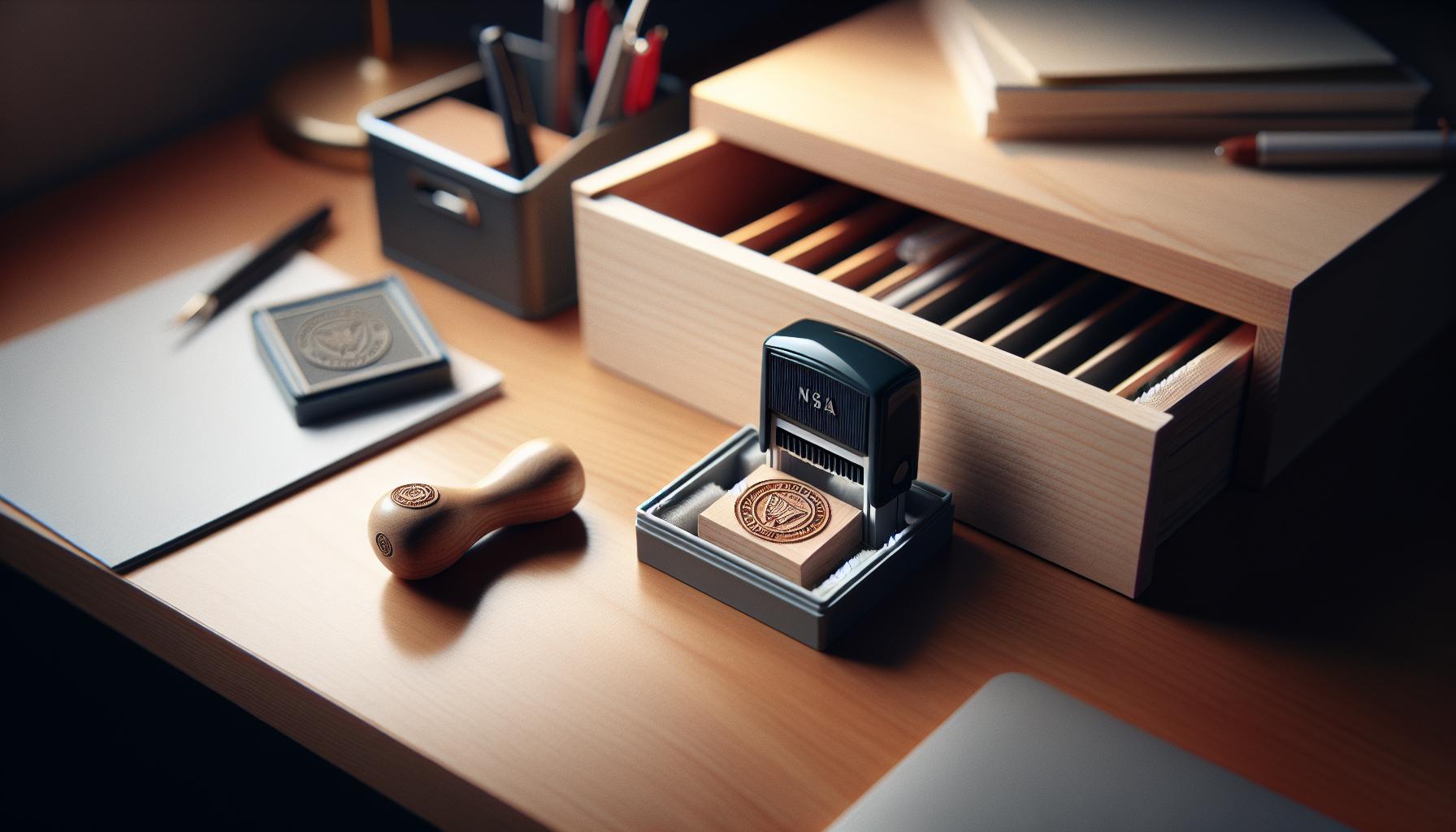
Tips for Storing and Protecting Your Self Inking Stamp
Few things impact the longevity and consistent performance of a self-inking stamp as much as proper storage and protection. Leaving your stamp exposed to harsh environments or neglecting basic care habits can quickly degrade its ink pad, rubber surface, and internal mechanisms. Thoughtful storage not only safeguards the ink from drying out but also preserves the precision of each impression, preventing costly downtime and frustrating rework.
Creating an Ideal Storage Environment
The first step in protecting your stamp is choosing the right storage conditions. Keep the stamp in a cool, dry place, away from direct sunlight or sources of heat. excessive heat can cause the rubber stamp surface to harden or warp, while sunlight can fade inks and degrade the internal sponge responsible for holding ink. Humidity should also be controlled, as overly damp environments may encourage mold growth or cause the ink to bleed unpredictably.
Avoid keeping your self-inking stamp in dusty or dirty areas, as particulates can settle on the ink pad or clog the delicate components, resulting in uneven impressions. A clean desk drawer or a sealed container often offers the best protection.
Practical Handling and Storage Tips
- Always engage the locking mechanism: When not in use, lock your stamp in the “down” position. This prevents unnecessary exposure of the ink pad to air and stops the rubber die from pressing down and sustaining shape damage.
- Use protective cases or sleeves: Many brands provide custom cases designed to hold and protect your stamp from dust and accidental knocks. These are especially useful if you transport your stamp frequently.
- Keep away from chemicals and solvents: Avoid exposing your stamp to cleaning fluids or solvents not specifically recommended for stamp care, as these can dissolve the ink or ruin the rubber surface.
- Store upright if possible: Positioning the stamp vertically reduces the risk of ink pooling at one end of the pad, helping maintain even ink distribution across the surface.
Extend Ink Life Between Refills
An frequently enough-overlooked aspect is minimizing unnecessary stamping when possible. Every impression consumes ink, so reserving your stamp for essential use helps extend the time between refills. In addition, regular brief inspections and gentle cleaning of the stamp surface with a damp cloth can prevent ink buildup, which otherwise fades impressions and encourages premature wear on the pad[1].
By integrating these straightforward storage strategies,you ensure your self-inking stamp remains ready to deliver crisp,professional impressions every time – keeping your workflow smooth and your office supplies lasting longer.
Enhancing Stamp Performance with Advanced Maintenance Techniques
The secret to maintaining a self-inking stamp’s sharp and consistent impressions lies not just in regular cleaning or refilling but in embracing a set of advanced maintenance practices that optimize every component’s function. These techniques extend the life of your stamp’s internal mechanism while ensuring each impression remains clear, uniform, and professional. One critical approach is to periodically inspect the ink pad for uneven wear patterns caused by repeated stamping in a small area.Gently rotating the ink pad or slightly shifting its position (if your model allows) can promote more uniform ink absorption across the surface, preventing premature dry spots and patchiness.
Beyond the ink pad,the rubber die-the heart of your stamp-requires careful attention. Over time, dried ink or accumulated debris can degrade the clarity of the stamped image. Instead of harsh solvents, use a slightly damp microfiber cloth with a mild soap solution to delicately remove residue without damaging the rubber. Avoid submerging the stamp or soaking parts in liquid, as excess moisture can soften adhesives or warp components.Regular light cleaning prevents buildup that weakens impression quality and extends the interval between deeper maintenance cycles[[2]](https://engineersealstamps.com/blogs/info/reviving-your-mark-effective-office-stamp-maintenance-techniques?srsltid=AfmBOoqEWgjI-W_sxcAuGmxa6QWu274jwEQ3OaDXWiU5ySvdA1HErZfe)[[3]](https://www.thestampmaker.com/how-to-clean-rubber-stamps.aspx?srsltid=AfmBOoovjD6qFoaf6iN_wqEX3hLD2a9QUR01Y8tD6fkDx45EAylo-0zp).
Fine-Tuning Ink Distribution
For optimal ink flow, some advanced users employ a combination of techniques including light pre-inking and a brief “warm-up period” before commencing bulk stamping. This involves pressing the stamp several times on scrap paper to evenly saturate the pad and rubber surface,especially after a refill or when changing ink brands. Additionally, if your stamp allows, gently adjusting the ink pad tension or ink application points can balance ink release, reducing blotches or fading.
Upgrading Maintenance with Quality Tools and Practices
Investing in specialty maintenance tools such as fine-tipped droppers for precise ink application eliminates mess and waste compared to pouring ink directly. Using microfiber cloths exclusively rather than paper towels or abrasive fabrics helps maintain surface integrity. Store a small brush nearby to dislodge fine dust from internal parts, ensuring smooth stamp motion. When cleaning, always use pH-neutral soaps or dedicated stamp cleaning solutions to protect the rubber and ink retention sponge from drying out or cracking.
- Advanced tip: Occasionally lubricate metal hinges and moving parts with a light machine oil, taking care not to let any oil contact the ink area, to preserve seamless stamping action over time.
- Ink pairing: Match ink chemistry to your stamp’s material specifications to prevent premature drying or chemical damage-consult manufacturer recommendations.
These refined maintenance measures not only improve daily performance but also prevent common pitfalls such as uneven impressions, ink bleeding, or mechanical jams. By building these habits into your regular maintenance routine, your self-inking stamp will consistently deliver crisp, reliable marks with minimal downtime-saving both time and cost in your workflow.
Q&A
Q: How often should I re-ink my self-inking stamp to maintain clear impressions?
A: Re-ink your self-inking stamp every 3-6 months or when impressions start fading. Frequent light impressions signal it’s time to refresh the ink. Regular maintenance like this ensures consistently sharp prints and prolongs stamp life. Learn more about maintenance routines in our cleaning and longevity section.
Q: Can I use any type of ink to refill a self-inking stamp?
A: No, only use ink specifically designed for self-inking stamps to avoid clogging or damage. Using the wrong ink can dry out the pad or cause smudging. Refer to the section on choosing the right ink for detailed recommendations on compatible inks.
Q: What is the best way to avoid ink smudging after refilling a self-inking stamp?
A: After re-inking, press the stamp several times on scrap paper to absorb excess ink and prevent smudges. Allow the ink to dry briefly before stamping officially. Proper refilling and cleaning techniques detailed in our troubleshooting guide help maintain clean impressions.
Q: How can I tell when my self-inking stamp pad needs full replacement instead of just a refill?
A: Replace the ink pad if repeated re-inking doesn’t restore dark, clear impressions or if the pad feels dry and uneven. signs like uneven ink distribution indicate pad wear beyond simple refilling. Visit the “When and How to Replace Your Ink Pad” section for guidance on timely replacement.
Q: What environmental factors affect the ink quality in self-inking stamps?
A: external factors like heat, humidity, and sunlight exposure can dry out or degrade ink quality inside your stamp. Store stamps in a cool, dry place away from direct sunlight, as advised in our storage tips section, to preserve ink vibrancy and stamp effectiveness.
Q: Is it necessary to clean the self-inking stamp pad before adding new ink?
A: Generally, cleaning the pad isn’t required before refilling unless it’s visibly dirty or clogged. occasional gentle cleaning improves ink absorption and impression clarity. Our maintenance section offers step-by-step cleaning methods to keep your stamp in peak condition.
Q: Can refilling a self-inking stamp improve ink longevity and reduce frequent replacements?
A: Yes, regularly refilling the ink maintains consistent impressions and extends pad lifespan, reducing how frequently enough you need replacements. Combining refills with proper cleaning and storage-covered in the longevity and maintenance sections-maximizes the value and usability of your stamp.
Q: What are the signs of ink leakage in self-inking stamps and how can I prevent it?
A: Ink leakage frequently enough appears as blotchy or overly wet impressions. Prevent leaks by not over-saturating the ink pad and storing the stamp horizontally to avoid ink pooling. For further details, refer to the troubleshooting and refill best practices sections for effective solutions.
For deeper insights on maintaining your self-inking stamp and related topics, explore our full guide including the cleaning, replacement, and storage sections. Keeping your stamp well-maintained ensures crisp, professional results every time.
Insights and Conclusions
By mastering how to refill your self-inking stamp with these simple maintenance tips,you ensure consistent,professional impressions every time-saving money and extending your stamp’s lifespan. Don’t wait until your stamp runs dry; take action now to keep your office supplies functioning smoothly and efficiently. If you want to explore further, check out our guides on prolonging stamp durability and choosing the right ink refill for your needs.
Ready to optimize your stamping process? Visit our product pages for trusted ink refills and maintenance tools. For ongoing expert tips, subscribe to our newsletter and never miss updates on keeping your office essentials in top shape. Have questions or want to share your own experiences with self-inking stamps? drop a comment below-we love hearing from you and helping you achieve flawless results every time.